


BaseForPaint
- Tarmunds - Kostia Perry

- Apr 25
- 3 min read
What if your first pass was already there?
Base for Paint is a Substance Painter generator that builds a fully art-directable color gradient across any mesh in seconds. It layers real mesh data [AO, curvature, thickness, world-space gradient, and zenital] into a single composited grayscale base, then maps it to colors. The result is a rich, mesh-aware starting point for any hand-painted or stylized workflow.
HOW IT WORKS
The generator stacks multiple data layers, each with its own intensity slider and per-layer levels (in low / mid / high / out low / out high), giving you surgical control over every contribution to the final gradient:
AO Base — ambient occlusion foundation with optional secondary AO channel (Use AO2) and a dedicated remap slider.
Zenital — world-space top-down lighting simulation; choose any world axis, switch to a custom light direction, invert, and level independently.
Gradient — a clean world-space directional gradient on any axis, invertable and fully leveled.
Thickness — mesh thickness data blended into the gradient for subsurface-like depth cues.
Curvature — edge and cavity detection with a Fade in AO parameter to anchor curvature in shadow areas.
AO — a secondary, independently leveled AO pass on top of the composite.
Remap — a final global levels pass over the entire composed gradient before color is applied.
Color — up to 5-color multi-stop lerp mapped onto the remapped gradient.

KEY FEATURES
Per-layer control — Every layer exposes an Intensity slider and a full set of input/output levels. Dial each contribution up or down without touching anything else.
Debug View — Inspect every layer in isolation directly in the viewport. No guessing what's driving the result, switch the Debug View dropdown to any layer and see exactly what it contributes.
Multi-color gradient remap — The Color section maps your composed grayscale gradient to a fully custom color ramp. Go from flat to stylized in one parameter change.
Works beyond base color Toggle Generate Color off and the output becomes a clean grayscale map. Included presets make it immediately usable as a roughness or metallic map, or as a mask in any layer stack.
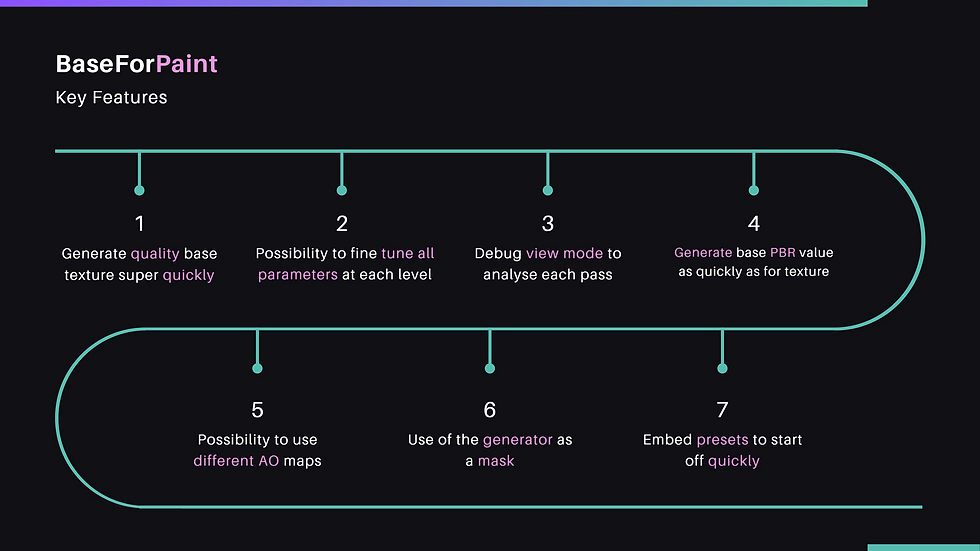
Ready-to-go presets 9 presets included out of the box:
Metallic — Roughness — Default — Brown - Copper — Bluish Grey — Woody — Grey 2 — Bronze — Rocky
WHAT'S INCLUDED
BaseForPaint.sbsar — ready to drop into your Substance Painter shelf
REQUIREMENTS
Substance Painter 8.x or later (any version supporting custom generators) Mesh bakes required: AO, Curvature, Thickness, World Space Normals. The generator reads from your existing baked maps, so make sure all four are baked before applying.
TIPS
Bake all four maps before applying, missing bakes will leave layers flat. Use Debug View to isolate and tune one layer at a time before looking at the composite. The Remap section is your global contrast control, save it for last. At intensity 0, any layer is fully bypassed, useful for A/B comparisons or to remove a specific effect.
Licence
This product is sold under a single-user license; one license, one person. You are free to use it across your own personal machines, but the license does not extend to teams or studios.
Studios or teams interested in a group license are welcome to reach out directly to discuss pricing.
Made by Tarmunds — artstation.com/tarmundsThe asset for the demo was created based on the awesome concept of Dmitry Pronin, go support his work https://www.artstation.com/artwork/8BEq3R


Comments